Edit and Translate Gelacy Selector Content
Gelacy allows you to customize and translate the text displayed on your Language & Currency Selector, helping ensure a consistent and localized experience for international customers.
I. What Selector Content Can Be Edited
By default, switcher labels are shown in English. You can easily translate or adjust these labels to match your target languages directly within the app. Such as: Language, Currency, Ship to, Search, Apply, etc
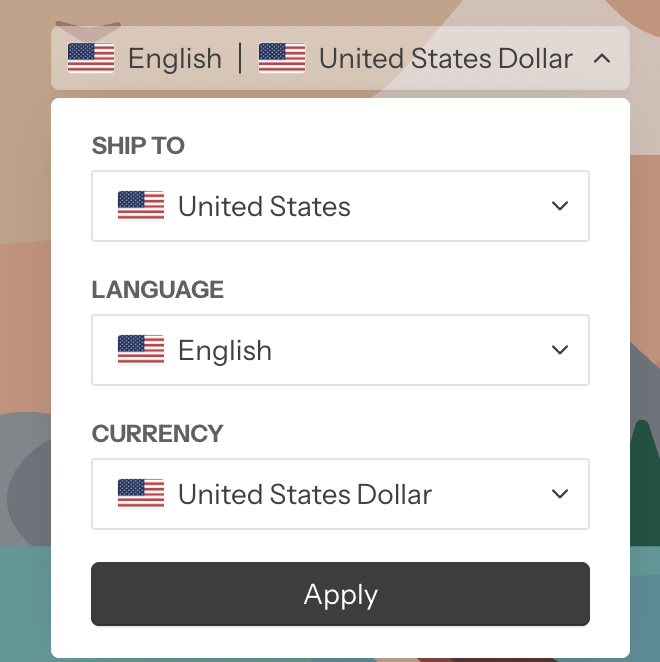
II. How to Edit and GLC Selector Content
Please go to Manage translation -> GLC Selector and edit the translation here:
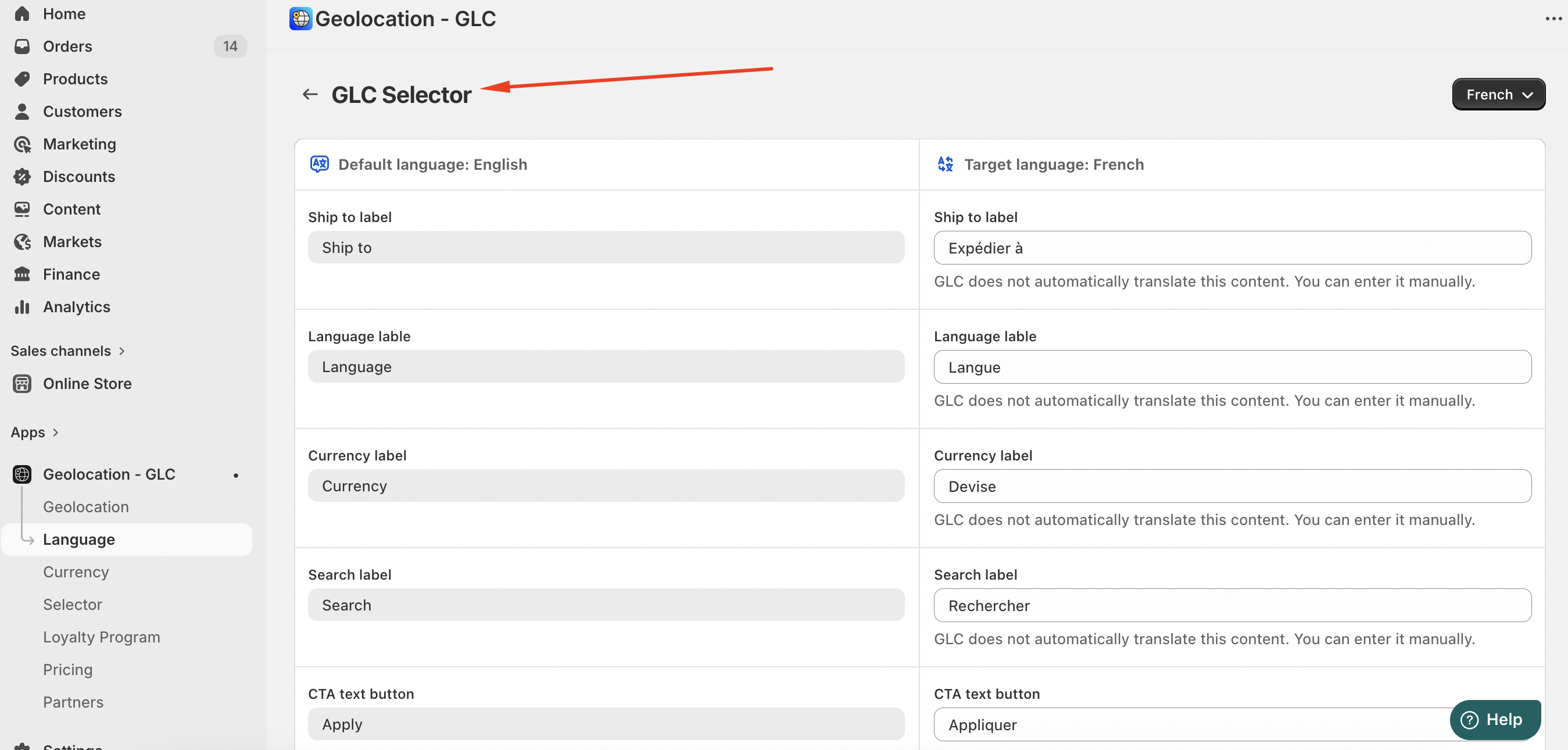
Once saved, your updates will be applied instantly to the Selector on your storefront.
If you need further assistance, please contact us at [email protected].